From Pond to Pixel: How Duck-Themed Coding Games Are Turning Little Quackers Into Junior Programmers
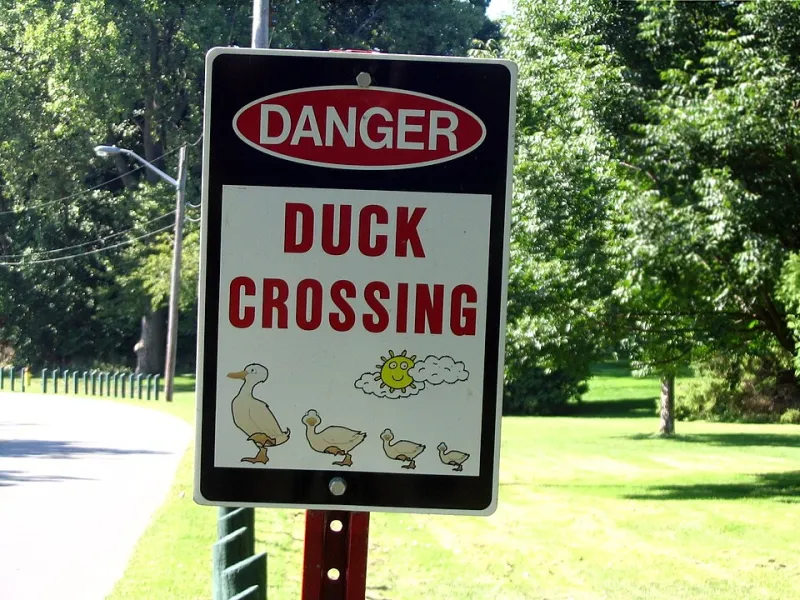
Photo: Loozrboy from Toronto, Canada, CC BY-SA 2.0, via Wikimedia Commons
Let's be honest — when most of us hear the word "coding," our brains do something embarrassing, like immediately think about napping. But here's the twist: kids don't feel that way. Especially when the coding involves a duck wearing a tiny backpack navigating a lily pad maze. Welcome to the wonderfully weird world of animal-themed programming games, where your child can learn real computational thinking while also giggling at cartoon waterfowl.
At Ducky Channel, we are extremely biased in favor of anything duck-related, and we are not sorry about it. But beyond our obvious brand loyalties, there's a genuinely exciting educational trend worth quacking about.
Why Ducks? (Seriously, Why Ducks?)
Before we dive in — or, more accurately, waddle in — it's worth asking: why are animal characters, and ducks in particular, such a hit for teaching kids to code?
Child development researchers have long understood that kids learn more effectively when they form emotional connections with the material. A blinking cursor on a black screen? Terrifying. A confused little duckling who needs your help finding his mom by navigating a series of logical steps? Suddenly you're a hero AND a programmer.
The duck metaphor also works beautifully because ducks are naturally curious, resilient (have you ever seen a duck get knocked off a log and just keep going?), and social. Those are basically the three core traits of a solid junior developer. Coincidence? We think not.
The Platforms Making Waves Right Now
So which platforms are actually doing this well? Let's break down a few that parents and educators across the US are buzzing about.
Code.org's "Classic Maze" and Animal Courses Code.org remains one of the most beloved free coding platforms for kids, and for good reason. Their drag-and-drop interface lets children as young as five start building sequences — basically the foundation of all programming logic. While not exclusively duck-themed, many of their early childhood courses feature adorable animal characters guiding kids through challenges. Best of all? It's completely free, which is the kind of price point every parent can get behind.
Scratch (MIT Media Lab) Scratch is the creative coding playground where kids build their own animated stories and games. Plenty of young Scratchers have built entire duck simulation games — complete with waddling animations and pond sound effects — while unknowingly mastering loops, conditionals, and event-driven programming. It's sneaky genius, honestly. Scratch is free, browser-based, and used in thousands of US elementary schools.
Tynker Tynker takes things up a notch with structured courses designed for kids ages 5 through 18. Their younger-learner modules use bright, friendly characters (ducks included, if you dig around) to introduce sequencing and pattern recognition. Parents appreciate the progress tracking, and kids appreciate that it feels more like a video game than homework.
ScratchJr For the truly tiny coders — we're talking kindergarten and pre-K — ScratchJr is a tablet-friendly app that simplifies coding into colorful blocks. Kids can make characters move, jump, and make sounds without typing a single line of code. Pair this with a stuffed duck toy and you've basically created the most adorable computer science class in history.
Expert Tips: Introducing Code Through Play
We chatted with a few educators and STEM program coordinators to get their best advice on introducing coding to reluctant (or overly enthusiastic) young learners.
Start with "unplugged" activities. Before touching a screen, try simple games that teach sequencing. Give your child directions like "step forward, turn left, hop" to navigate them to a treat. Explain that computers follow instructions the same way — and then let them name the imaginary duck who is following their commands. Instant buy-in.
Celebrate the bugs. In coding, an error in your program is called a "bug." Rather than treating mistakes as failures, reframe them as clues. Ask: "Hmm, why do you think our duck went the wrong way? What instruction do you think confused him?" This builds the problem-solving mindset that's at the heart of real software development.
Keep sessions short. Twenty to thirty minutes of focused, playful coding is far more effective than a two-hour marathon that ends in tears (yours and theirs). Little brains need time to process new concepts, and honestly, so do big ones.
Make it a story. The best coding games already do this, but you can amplify it at home. Before your child starts a session, invent a quick backstory. "Today, Daffy the Duck has lost his favorite bread crumbs at the pond. Can you help him write a map to find them?" Narrative context transforms abstract logic into meaningful problem-solving.
What Kids Actually Learn (That You Can Brag About Later)
Here's the part where we reassure every parent reading this that yes, their child is absolutely learning something useful. Duck games and coding platforms teach:
- Sequencing: Understanding that order matters — step one happens before step two, always.
- Loops: Recognizing repeating patterns and writing efficient instructions instead of repeating yourself (a skill, honestly, that many adults still need to master).
- Conditionals: "IF the duck reaches the water, THEN make a splash sound." This is the bread and butter of logical thinking.
- Debugging: Finding and fixing errors with patience and curiosity rather than panic.
- Persistence: Because every duck eventually makes it to the pond. Eventually.
These skills don't just apply to computer science. They show up in math, writing, science experiments, and — according to multiple teachers we've spoken with — even in how kids approach social conflicts on the playground.
Getting Started This Weekend
Ready to turn your living room into a duck-powered coding academy? Here's a simple starter plan:
- Download ScratchJr (free on iOS and Android) for kids under 7, or visit Scratch.mit.edu for older children.
- Spend the first session just exploring — no goals, no lessons, just clicking around and laughing at whatever happens.
- On the second session, set a tiny challenge: "Can you make a character move across the screen?"
- By the third session, your child will probably be teaching you things. Accept this humbly.
The future belongs to kids who can think logically, solve problems creatively, and collaborate with others. If a duck wearing sunglasses helps them get there, then we are absolutely here for it.
Now go forth, little explorers. The pond — and the code — awaits.
Want more STEM fun with a feathery twist? Explore our full Learning Hub at Ducky Channel for games, activity sheets, and more quack-worthy adventures!